Features
Everything Otto does
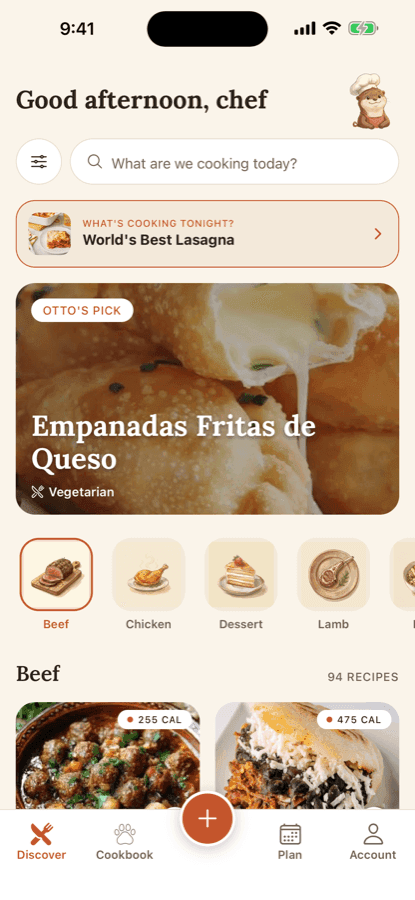
Collect what you cook, follow it step by step, and plan the week around it. Nothing here is coming soon — this is what ships today.
Collect
- Import from anywhere
- Paste a link from a recipe site or a video and Otto reads the recipe out of the page.
- Write your own
- A plain editor for the ones that live in your head, or on a card in a drawer.
- One cookbook
- Everything you save in one place, searchable, with the ones you cook most near the top.

How importing works
Recipes arrive from everywhere — a blog you read on the bus, a video someone sent you, a paragraph a friend typed out. Otto takes all four routes and ends them in the same place.
Give Otto the recipe
Paste a link from a food blog, a TikTok or an Instagram post. Paste plain text. Snap a photo of the recipe. Or write it out yourself.
Otto reads it
He pulls out ingredients, quantities, steps and timings into proper fields — not a wall of pasted text. From a social post he works from the caption.
You check his work
Every import opens with everything Otto found already filled in, under “Did Otto get this right?” Nothing saves until you’ve looked at it.
It joins your cookbook
With the source attached — the site or creator it came from, and a live link back. That credit can’t be removed.
When Otto can’t read it. Some pages defeat him. He says so plainly, and the same sheet offers the other ways in: paste the text, snap a photo, or write it out yourself. No import ends in a dead end.
Where it stops. From a TikTok or Instagram post, Otto reads the caption, not the video. A recipe that is only spoken aloud needs a screenshot or your own notes.
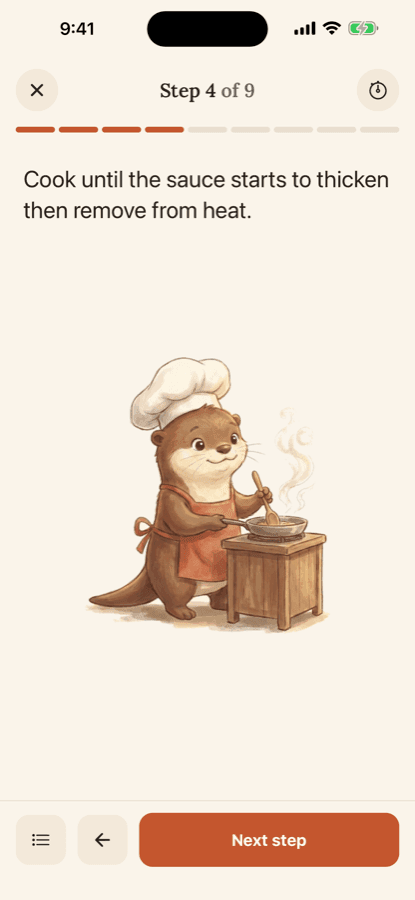
Cook
- One step at a time
- Big type, and the screen stays awake while your hands are busy.
- Servings that scale
- Change the number of servings and every ingredient quantity follows.
- A nutrition estimate
- Calculated from public USDA data. An estimate to guide you, not a measurement.
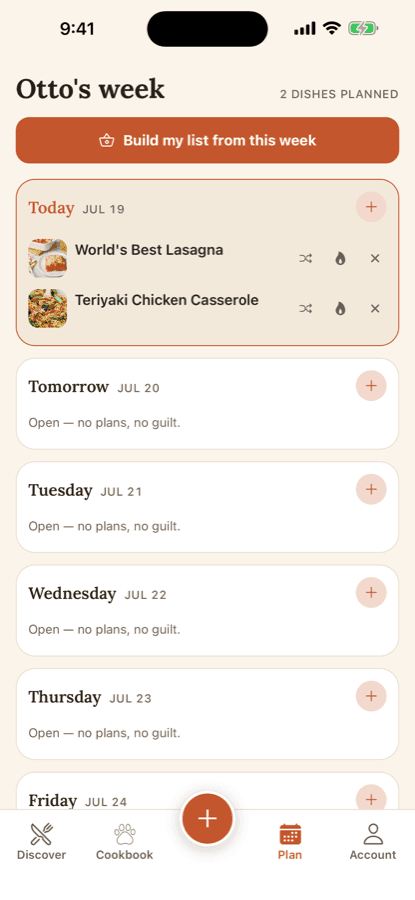
Plan
- The week in one view
- Put meals on days and see the whole week at once, gaps included.
- A list that builds itself
- Otto turns the plan into a shopping list, grouped the way a shop is laid out.
- Share it with the house
- Invite whoever else cooks or shops. Everyone sees the same list, live.
Quiet by default
No ads, ever
Otto has no advertising, and no third-party tracking in it.
Your photos stay put
Plate photos from the cooking journal never leave your device.
No account to look around
Browse and cook straight away. Otto only asks when you save.
Nothing to post
No feed, no followers, no streak shaming you into cooking.
What it costs
Otto is free to download, and everything described on this page works without paying. Otto Club, our membership, adds the heavier features for $4.99 a month or $39.99 a year, and starts with a 1-week free trial. What is free today stays free.
Start with tonight’s dinner

Free to download. Available on iPhone.